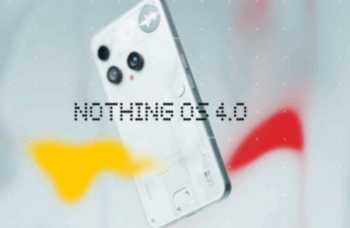
Nothing OS 4.0 Is Out: Here’s Who Gets It First
Nothing OS 4.0 Rolls Out: Check If Your Phone Gets It Nothing has begun rolling out Nothing OS 4.0 in India, bringing its Android 16-based update to users with a more refined and connected experience.
Nothing OS 4.0 Rolls Out: Check If Your Phone Gets It
Nothing has begun rolling out Nothing OS 4.0 in India, bringing its Android 16-based update to users with a more refined and connected experience. The update arrives first on the Nothing Phone 3, while other Nothing and CMF devices will get it soon. The company says the new software focuses on motion, tactility, and AI-driven creation tools inside Essential Apps.
Phone 3 Gets Exclusive Features First
Phone 3 users will see the biggest jump in features with Nothing OS 4.0. The update introduces deeper Flip to Glyph controls, a more responsive Pocket Mode, and new Glyph Toys like Hourglass and Lunar Cycle. Moreover, Glyph Mirror Selfie now saves the original shot as an extra photo in the Gallery, making the camera workflow smoother.
Live Updates Arrive via the Glyph Interface
Nothing OS 4.0 also adds live updates to the Glyph Interface. Users will now get real-time ride alerts, delivery progress, and timer updates on both the display and the light interface. Apps that support Android 16’s live update capability will now work with the Nothing Glyph Progress feature, bringing quick alerts to the surface without opening apps.
A Better Dark Mode and More Motion Improvements
The update also refines Extra Dark Mode and extends it to first-party apps like Essential Space and Launcher. More apps will follow soon. Every touch feels more physical now. Subtle haptic feedback at volume limits gives users a clear response even when the screen is out of sight. The home screen background also scales gently to create more depth.
More Tools for Productivity and Personalisation
Nothing OS 4.0 adds new 1×1 and 2×1 widget layouts for Weather, Pedometer, and Screen Time. Users can now open two floating apps at once and switch between them using simple gestures. Swipe up to minimise the window or pull it down to expand. They can also hide any app in the App Drawer and access it quickly with a swipe.
The new Widget Drawer brings all Essential Apps into one organised space, simplifying how users interact with the system.

FocusFlow: The Last Timer You'll Need
Master the art of deep work with our analog-inspired digital interface. Zero tracking, 100% focus.
Learn more
Exploring the intersection of human psychology and digital culture. Documenting the shift toward slow media and helping readers find balance in an attention-based economy.
View all articles